





Create, copy, and share meeting content faster
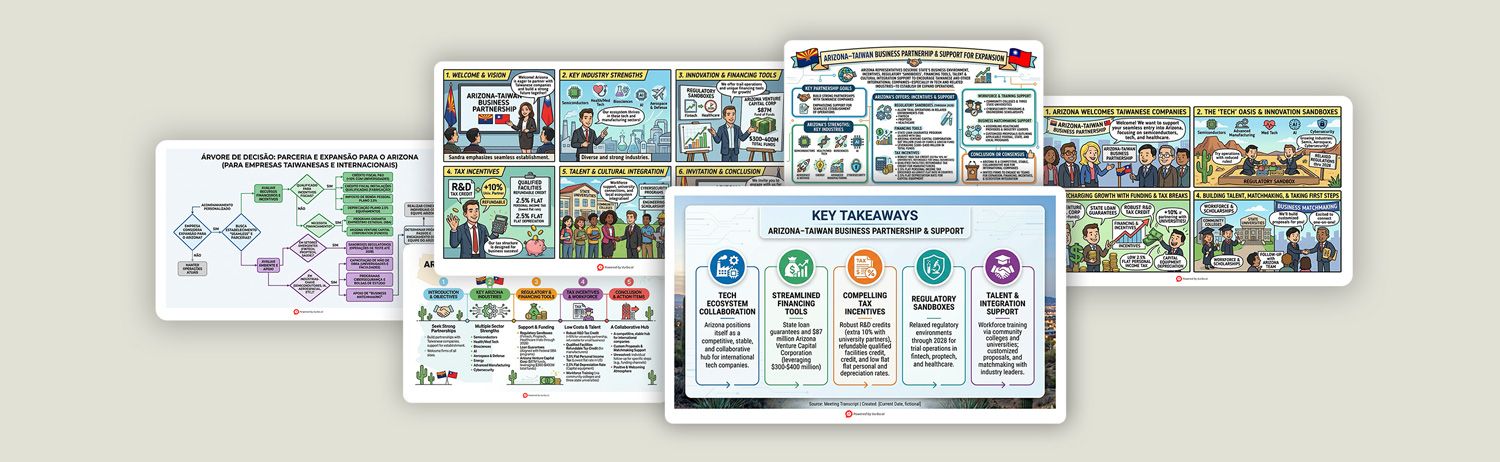
This update improves how you create, copy, and manage meeting content in Vurbo.ai.
Visual Summary now supports plan-based monthly quotas and credit-based usage, while new shortcuts, smarter sentence segmentation, and clearer permission guidance help make your workflow smoother on macOS.
- Visual Summary:
- Visual Summary is now available with plan-based monthly usage. Advanced, Pro, and Premium plans include 50, 100, and 150 visual summaries per month respectively.
- For credit-based plans, each generated Visual Summary uses 10 credits.
- Faster copying across key content:
- You can now use Cmd+C to quickly copy transcripts, summaries, notes, and visual summaries. This makes it easier to move content from Vurbo.ai into documents, emails, reports, or other tools.
- Smarter workflow:
- Vurbo.ai now supports AI-powered semantic sentence segmentation. Instead of relying only on pauses, Vurbo.ai can automatically adjust sentence breaks for smoother reading.
- Expanded language support:
- Uzbek is now supported for speech recognition, translation, and text-to-speech.
- System and stability improvements:
- When microphone or system audio capture access is not enabled, Vurbo.ai now provides clearer guidance to help you quickly enable the required macOS permissions.
- Vurbo.ai now supports running from the macOS menu bar and launching automatically at sign-in.
- Speech Transcription:
- Added Visual Summary to convert summaries into visual formats, improving readability and comprehension
- Added editable transcript summaries, allowing users to refine and optimize content
- Summary Templates:
- Added support for custom summary templates, allowing users to create and manage personalized formats
- Enabled cross-device synchronization of templates under the same account
- Added default summary language setting to streamline the workflow
- Added owner and due date fields to meeting summary templates for better task tracking
- Account & Licensing:
- Added warning prompt when redeeming a new license under Trial / Basic plans to prevent overwriting existing licenses
- Cloud Translation:
- Increased concurrent connection limit to support up to 5000 users
- Other Improvements:
- Updated user guide with clearer instructions
- Improved wording for transcript enhancement features
- Fixes:
- Fixed an issue where subscription status could display incorrectly when cancellation had not yet expired
- Fixed an issue where real-time translation could still be selected when transcript enhancement was enabled
- Fixed an issue where the copy button in the summary view did not preserve bold text and heading formats
- Speech Transcription:
- Added transcript refinement feature to improve text quality and readability
- Enhanced floating subtitle display effects for better viewing experience
- Added more sentence break speed scale options, supporting longer pause intervals
- Account & Licensing:
- Improved remaining time indicator for credit-based licensing
- Language Support:
- Added support for Estonian and Lithuanian
- Speech Transcription:
- Updated summary template descriptions for clearer configuration and usage
- Glossary:
- Support for new Excel template import format, downloadable directly within the app
- UI improvements to the editing interface
- Speech Transcription:
- Added more summary templates to enhance flexibility
- Improved visual effects and usability of the floating subtitle window
- Fixed translation result issues in Basic / Advanced plans
- Glossary:
- Introduced a new multilingual glossary structure supporting terminology, fuzzy correction, and translation dictionaries
- Multilingual glossaries are now applied to cloud translation results
- Glossary content is now synced across devices under the same account
- Removed built-in system glossary
- Cloud Translation:
- Added real-time translation support
- Added speaker separation support
- Added more QR Code download formats and resolutions
- Local transcript or translation edits now sync correctly to cloud translation results
- Others:
- General UI improvements and optimizations
- General:
- Fixed minor issues
- Speech Transcription:
- Adjusted single transcription task duration: Trial and Basic (Free) plans limited to 30 minutes, other licences up to 5 hours
- License:
- Trial plan changed to use 300 credits
- Cloud Real-time Translation:
- Added cloud translation feature
- Support for cloud translation channel management
- Speech Transcription:
- Added "Pause STT during interpretation" mode
- Expanded support for 4 languages transcription
- Export Records:
- Support exporting transcripts in SRT format
- Support exporting summaries
- Language Support:
- Added Albanian recognition and translation
- Speech Transcription:
- Automatic STT recovery after network interruption
- Subtitle window horizontal layout
- Profanity filtering
- System:
- Added cybersecurity terminology library
- Added new language support
- Support for standalone MSI installation
- License:
- Added point-based plan
- Speech Transcription:
- Added Preset initial page
- Support for speaker separation
- Added fuzzy word correction
- Translation:
- Added translation dictionary
- System:
- Built-in terminology library
- LLM switch between OpenAI / AOAI
- License:
- Introduced Advanced plan
- General:
- Support for floating subtitle window
- Speech Transcription:
- Switch input source and recognition language during transcription
- High-quality recording mode
- AI Features:
- Real-time interpretation (TTS)
- General:
- Support for third-party login
- Speech Transcription:
- Added custom terminology library
- Support for system audio capture (including Teams)
- Expanded support for 2 languages transcription
- Support exporting transcripts in SRT format
- Support for high-quality audio recording
- Speech Transcription:
- Support for bilingual translation
- Added transcript FAQ
- Text Assistant:
- Support generating detailed summaries
- General:
- Added Dark Mode
- Interface Languages:
- Expanded support to 11 languages
- License:
- Added Adv / Pro time-based plans
- Speech Transcription:
- Added Pause / Resume
- Added Search & Replace
- Translation & Recognition:
- Expanded language support to 93 languages
- Medical Applications:
- Added Implant and Health Checkup summary templates
- Speech Transcription:
- Added playback speed control
- Support for background recording
- Multilingual recognition
- Medical conversation summary
- Text Assistant:
- Support for PDF import
- General:
- Font size customization
- UI added Polish
- Recognition expanded with Cantonese / Simplified Chinese / Italian / Polish
- License:
- Added Basic and Advanced plans (Trial / Basic / Advanced / Pro)
- Speech Transcription:
- Quickly convert speech to text
- Text Assistant:
- Smart text editing and generation
- Conversation Translation:
- Real-time multilingual translation
- AI Chat:
- AI-powered interactive chat
- General:
- UI supports Chinese / English / Japanese
- Recognition supports 12 languages
- License:
- Trial / Pro licenses available